how to root android without computer. We are sharing Android APK by which you can easily root your android mobile without any risk of hard bricking your android mobile. This method is totally safe if you are willing to get a rooted android device. Most of guys, root their android phone to run some cool apps made for rooted devices only. All over web, there are a lot of methods by which you can root your android phone with computer, but we are discussing something new in this post. In this blog post, we will discuss about methods to root android phone without computer by sharing some APKs and their working tutorial.
I guess, you must be aware of the fact that tablets are also similar to android mobiles, So methods which we are discussing in this post to root any android phone without computerwill work for tablets also. We have tried our best to find all the methods to root a phone without using pc or computer. Though, there are many methods for rooting android mobile with the help of computer but it is very risky as one wrong step can brick your device completely. So, let's move on to the methods now.
What is Root in Android Phones?
Root is a su binary which is installed in your android mobile, than you can access all files of your android mobile, In other words, you will get instant access to root directory of your android mobile. In other words, you can even access all files which contain your Hardware info as well. If you are/were an iPhone user, then you must heard Jailbreak term. Right? Basically, this rooting is similar to jailbreaking of iPhone. So, let's move on to some of the advantages and disadvantages for rooting your android phone now.
Advantages of Rooting your Android Phone
Rooting your android mobile has several advantages, but here we are listing some of the best advantages, you will get after rooting your android mobile. So, if you have prepared your mind to root android without computer, then you must be aware of disadvantages and advantages of rooting android mobile. So, before rooting your android phone make sure that you have read both advantages and disadvantages.
Access all files of your mobile, whether they are present in the root directory of your storage or enywhere else, by giving root permissions, you can Edit or Delete any system file.Increase your mobile performance by over clockocking it, by changing the frequency of CPU of your android mobile, by which you can easily speed up your android mobile without any problem.Even, you can increase battery life, by under clocking CPU of your android mobile, which will let your phone battery for long time.Can install the several custom rom to change feel of your android version like CyanogenMod or AOSP or Eye Candy ROM MIUI which can change the feel off whole android device usage.Can upgrade android version of your mobile using custom rom like CM11 or CM12 or any other rom. There are tons of custom rom available now a days like MIUI, Carbon ROM etc.Can access some of the best apps which you can use after rooting it only, you can get best root apps for the android device from here, which you can use only if your device is rooted. There are more than 50 best root apps which you can't use on your phone without rooting.Internal Memory can also be increased after rooting your android mobile, as you can swap your internal, as well as memory card without any problem, , just by edit vold.fstab file in the root directory which can be accessed once you root your android mobile.
Disadvantages of Rooting your Android Phone
Every thing in this world, which has advantages has its disadvantages also, so here we are listing some of the disadvantages of rooting your android mobile. After reading advantages of rooting android mobile without computer, if you have made your mind to root without pc using these apk, then you must read these disadvantages also.
Your phone might hard brick: It sounds awkward but it’s truth. Process of rooting android mobile is very risky and has to be done with very caution. As, on wrong step in rooting your android phone might cause hard brick. That’s the reason that I do not recommend newbies to root their android mobile.There may be data loss in the process of rooting your mobile: Yea! You heard that right. Rooting your android mobile can create data loss. As in the process of rooting android mobile some steps like hard resetting the whole mobile is included sometime, so team of Dreamy Tricks recommends you to take backup at least so that if you lost your data in process of rooting your android mobile, you can get it back anytime.Warranty of your android mobile is killed, when you root it: This is one of main reason that most of guys decides to keep their android phone unrooted as they can not take risk with warranty of their android mobiles. Though, you can unroot your android mobile anytime to get your warranty back. (We will discuss about it later in this post).You might face random reboots: This is my personal experience guys as last time, When I was installing a custom ROM in my android mobile I was facing random reboots and apps crashes as well.There is a loss of privacy as well, as third party ROMS and apps can misuse of root permissions. As, process of rooting your android mobile includes adding of third party apps which is a bit risky.
General Method to Root Android phone using APK (In case method is not listed)
First of all, Download root apps apk from the below-given link.After downloading these apps, Just, Install them.If a pop-up asking Installation is blocked, then Click on Settings.Just tick on Unknown Sources.Install the apk now.After, opening these apps, just click on root button or any button.You are done to root your android mobile easily with these apps.
Benefits of using these apps to root your phone:
There are many benefits to root android without computer like it will save time. Even its comparatively very safe also to root your mobile without using PC or laptop. Some of the benefits are listed below of rooting your android mobile without laptop are:
No need of PC, computer or Laptop.Comparatively safer.Almost no chance of any bricking of your device.Low chances of data loss.
So, I think We have provided you all brief details of advantages of rooting android mobile and it’s disadvantages as well. Now, We will show you different methods to root android mobile without pc by using some special kind of apk which can transfer su binary and can root android without PC.
10 Methods to Root Android Device Without Computer
Below, We are listing 10 methods to root android phone without computer. I have personally tried all of below 10 methods first and then shared it here. All of 10 methods requires APK file to be downloaded from buttons listed there.
1. Using FramaRoot
This is the top-most app which comes on Rank 1 when we talk about rooting any phone without PC. This APK is still best APK ever to root any mobile without PC/Computer. This app has rooted thousands of devices which support its exploits. This app is a must try for every phone.
Download FramaRoot
Framaroot has many exploits to root any android device without PC/Computer. Most of the exploits of Framaroot are created for MTK chipset android phones though. Follow below methods to root your android mobile via Framaroot.
How to use Framaroot:
Download Framaroot from above link. (Just, click on above link to download Framaroot).Install APK in your android phone and Open Framaroot from app drawer now.Simply, Click on Boromir and Wait until It does not show Su Installed successfully.

In case, It shows Exploit failed error, thenyou have to try any other app to root your android device.
Video tutorial to root your phone without computer:
Test This Stream
2. Using Universal Android Root:
This app is very popular among geeks for purpose of rooting their phone without pc. Just download this apk and install in your android phone and you are ready to go. This is one of best rooting apk undoubtedly which you can give a shot. If you are unable to root your android mobile using Framaroot, then you must give this app a try once.
Download Universal Android Root
This is one of simplest method to root android mobile safely. Universal AndRoot is the basic android app which can root almost every device without any kind of problem. It is best Framaroot Alternative. Follow, below method to root android mobile using AndRoot
AndRoot.
Steps to root phone using Universal AndRoot:
- Just, Download Universal AndRoot from above link.
- Install it in your android mobile. (Make sure you have enabled Unknown Sources in settings).
- Now, Open Universal AndRoot from app drawer.
- Click on Root to begin rooting process.
Note: Before rooting your android phone make sure that you have selected correct Android version. Otherwise, it will not be able to root your android phone using it's exploits.
Video Tutorial:
iRoot is one of the best android apk to root android phone without any need of computer/PC. iRoot is a popular name among power-android users. Its a Chinese app, but there are many mods available for this app in English version. In many, last years, iRoot made a great position its users as they are continously providing updates to its users to support more newer models too.
Have you ever heard of Vroot? I am damn sure that must be aware about this popular software to root android device in one click. iRoot APK is developed by the developers of Vroot to provides more flexibility to users.
Steps to root android phone using iRoot:
- First of all, Download iRoot from above download button.
- Once, you have successfully download iRoot APK file.
- Tap on this file to install it in your android phone.
- So, now you have installed iRoot in your android mobile.
- Open iRoot application in your android phone.
- Tap on I Agree.
- Now, Simply click on Root button in the iRoot app.
- It will root your android phone successfully now.
Video tutorial explaining How to Use iRoot:
4. Using Z4Root
This app is one of the oldest apps to root android without computer without any risk of hard brick of android mobile. If you own an android phone from a good brand like HTC, Sony, Motorola and Samsung, then this APK is probably the best to root your android phone without computer. This apk has success rate of 99% on all devices of Samsung Galaxy S series.
In recent update of Z4Root, they have added a temporary root feature too which can root 99% of android phones without computer currently. (Though, the disadvantage of this feature is that you will lose root access after a reboot but still a great feature for beginners who want to test some root applications).
Steps for rooting android smartphone without computer using Z4Root:
- Download Z4Root apk from above download button.
- Install Z4Root APK in your android phone. (Make sure that you have allowed Unknown Sources in Settings).
- Open Z4Root app in your android phone now.
- Click on Root button.
- Wait for couple of seconds to make sure that Z4Root has completed it’s job.
- Now, simply restart your android phone to root it without computer.
If everything worked well, then this apk will do its task of rooting your android phone easily without creating any kind of problem further.
Video Tutorial explaining Z4Root:
5. Using Towel Root
Using, Towel root , you can root most of the HTC devices like HTC One M7 without using PC. Just Click on Make it rain after installing this apk. Towel Root has good success rate in rooting most of android smartphones without computer. As, I have already told you guys that its safe to use APK as they will not brick your android phone, so you can give this APK a shot without any trouble.
Towel Root was not exclusively designed in Galaxy S5 thread but this APK has got success in rooting many other devices too. That's why I was recommending you to use this APK to root your android smartphone without computer.
- First of all, Take backup of your android device. So that, if you face any problem you can restore your precious data with ease.
- Download Towel Root from link which is given below.
- Once you have downloaded APK of Towel Root, Install it in your android device. (Make sure that you have allowed unknown sources in Settings).
- Open Towel Root and click on Make it Rain.
- Now, Just wait. It will take some minutes to install Su library in your android device.
Video tutorial for rooting phone without pc:
6. Using Baidu Root
BaiduRoot is one of popular app which is available for both PC and mobile to root android phone. BaiduRoot can root almost every device (According to them, BaiduRoot supports more than 6000 devices currently). Moreover, Baidu Root has its own su permission app which is different from SuperSU (SuperSU is offered by other root APKs available for android phone).
- Download Baidu Root APK from above button.
- Install APK in your android phone now. (Before installing this APK, make sure you have enabled Unknown sources in settings).
- Open Baidu Root app now.
- Click on Root button now and wait till success bar reaches to 100%.
- Restart your android phone now and look for Baidu Root app in the app drawer now.
After reboor, if there is Baidu Super user app available in the app drawer, then you have successfully rooted your android phone without computer.
7. Using Easy Rooting Toolkit
This app is one of the most working app to root any android smartphone. This app can root almost every Sony device easily. Easy rooting toolkit will install busybox along with su files in your android mobile. Though, this exploit is patched by most of device manufacturer but still you can give this app a try. Recently, Easy Rooting Toolkit has recently updated their app to V3.0 which has fixed many bugs and has added new devices like Xperia C2 , Xperia Z2 etc.
- First of all Download Easy Rooting toolkit apk from above button.
- Now, Install this APK in your android mobile (Make sure Unknown sources is enabled into settings).
- Open app & Click on Root.
- Wait some seconds and when it shows Success message.
- Simply, restart your android mobile to check if you superuser app installed in your app drawer.
8. Using CF Auto Root
Here comes another apk to root any android device without computer. This app by Chainfire can root your samsung s series smartphones without pc easily. As, recently I got many comments that they are not getting success in rooting their Samsung android mobile, So We Dreamy Tricks has added this new app which can root almost all Samsung mobiles. So for what you are waiting for? Try this apk now.
Steps to root android phone using CF Auto Root:
- First of all, Download CF Auto Root apk from above button.
- Install downloaded APK of CF Auto Root in your android mobile now. (Make sure unknown sources is enabled in the settings).
- Once you have successfully installed CF Auto Root, Open it.
- Click on Root my phone button.
After some minutes, restart your android mobile and check whether superuser app is showing in app drawer or not. If Super user app is showing then, you have successfully rooted your android phone.
9. Using Root Master
Root Master One click root is one of effective method to root android without pc easily. If you have tried above method to root your android smartphone and got no success, then I recommend you to use this method. As, this method is totally free to use. Moreover, many users has got success in rooting their android phone using Root Master One Click Root. Moreover, it is first English APK which can root android phone without computer.
How to root android phone using Root Master:
- Download Root Master apk from above button.
- Take backup of your device.
- Install APK in your android phone. (Make sure you have enabled Unknown sources in settings)
- Open Root Master application in your android phone and Click on Tap to root.
- Just wait for some minutes and restart your android phone now.
How to check if device is successfully rooted or not?
Are you confused that whether you have rooted your android phone or not. In this section, I am going to tell you name of a app which will tell you how you can check whether your android device is rooted by using above APK or not.
- First of download and install Root Checker from Play Store.
- Open this app and click on Verify Root.
- If your android phone is rooted successfully then it will show that Congratulations, Root access is successfully installed in your android mobile.
Conclusion:
So, it was all about how you can root your android phone without PC or Computer. In this post, we have listed 9 different APK which can root a android phone without computer easily. All of these APKs are completely free to use. Note that we are not responsible for any damage caused to your phone or it's data. So, use any of this APK completely at your risk.
So, which APK rooted your android phone without computer? We would like to listen about it in comments below. If you are having any problem in any of the above method, then feel free to comment below.


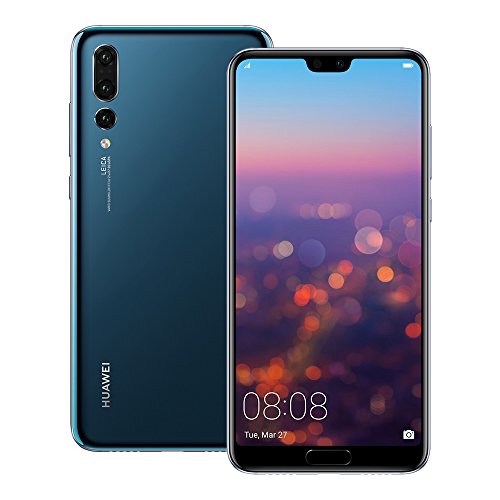


 Image Source: ZTE


